The link in your bio is the one webpage almost every new follower opens, so it decides whether a visitor becomes a customer or scrolls away.
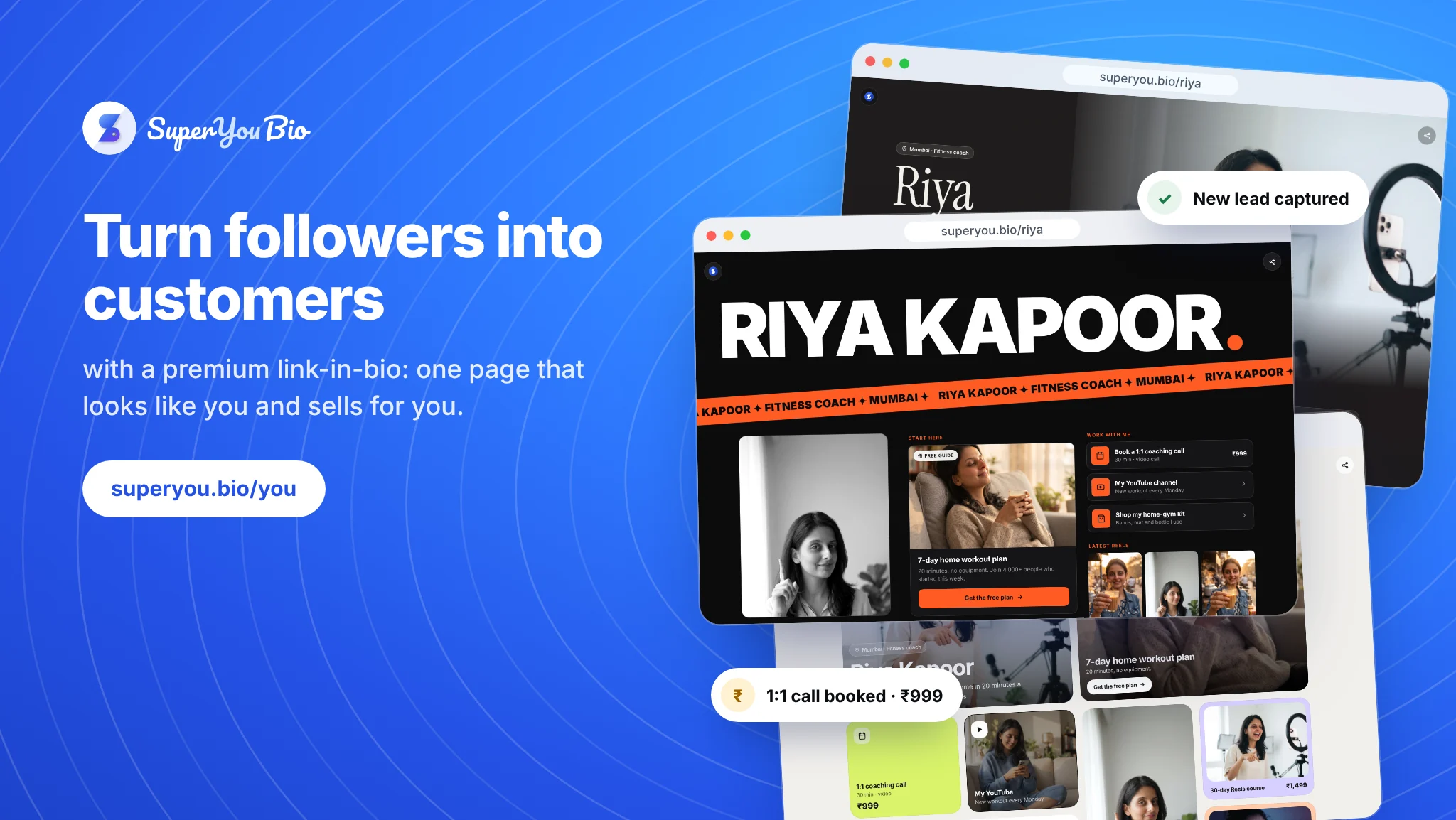
SuperYou is a creator platform that helps creators build bio link pages, sell digital products, capture leads, and automate engagement with Auto DM.
This guide shows how a premium link-in-bio, one well-designed single webpage, turns that tap into a lead, a booking, or a sale.
Your Bio Link Is Your Storefront
Someone watched your Reel, liked what you said, and tapped your profile. That tap is the warmest moment you will ever get with them.
Most bio links waste it. A plain stack of identical buttons asks a stranger to guess what matters, gives them nothing that looks trustworthy, and offers no way to buy, book, or leave their details. The visitor leaves, and you never learn who they were.
A premium link-in-bio fixes that. It is still one page, but it is designed like a landing page: it looks like you, says what you offer, and lets people act right there.
Your followers already tap your bio. The page they land on decides what happens next.
Why One Premium Page Beats a Full Website
For most creators, coaches, and small businesses, a single well-built page does more work than a multi-page website, because it removes the steps between interest and action.
| Basic link list | Full website | Premium single page | |
|---|---|---|---|
| Time to set up | Minutes | Days to weeks | Minutes |
| Looks like your brand | Rarely | Yes | Yes |
| Taps from bio to buying | Several, often off-site | Several pages | One page |
| Sell, book, or collect leads | Usually not | With plugins | Built in |
| Works on phone and desktop | Phone only | Yes | Yes |
Your followers arrive on a phone, from one post, with one intent. They do not want a menu of pages; they want the thing you just talked about. A single page that leads with your offer, proves you are credible, and puts the button in reach does exactly that.
How SuperYou Bio Pulls Customers In
SuperYou Bio turns your link-in-bio into a page that attracts, convinces, and sells, with five parts working together.
1. A Page That Looks Premium, Not Templated
First impressions decide whether a visitor trusts you. SuperYou Bio gives you layouts with real personality instead of one generic column of buttons:
- Classic: centred photo and name, calm and familiar
- Bold: a giant name with a moving ribbon, loud and confident
- Hero: a big photo that fades into the page
- Portfolio: editorial, with a large photo, serif name, and text links
- Skin: your photo becomes the whole background
- Bento: everything as colourful tiles in a grid
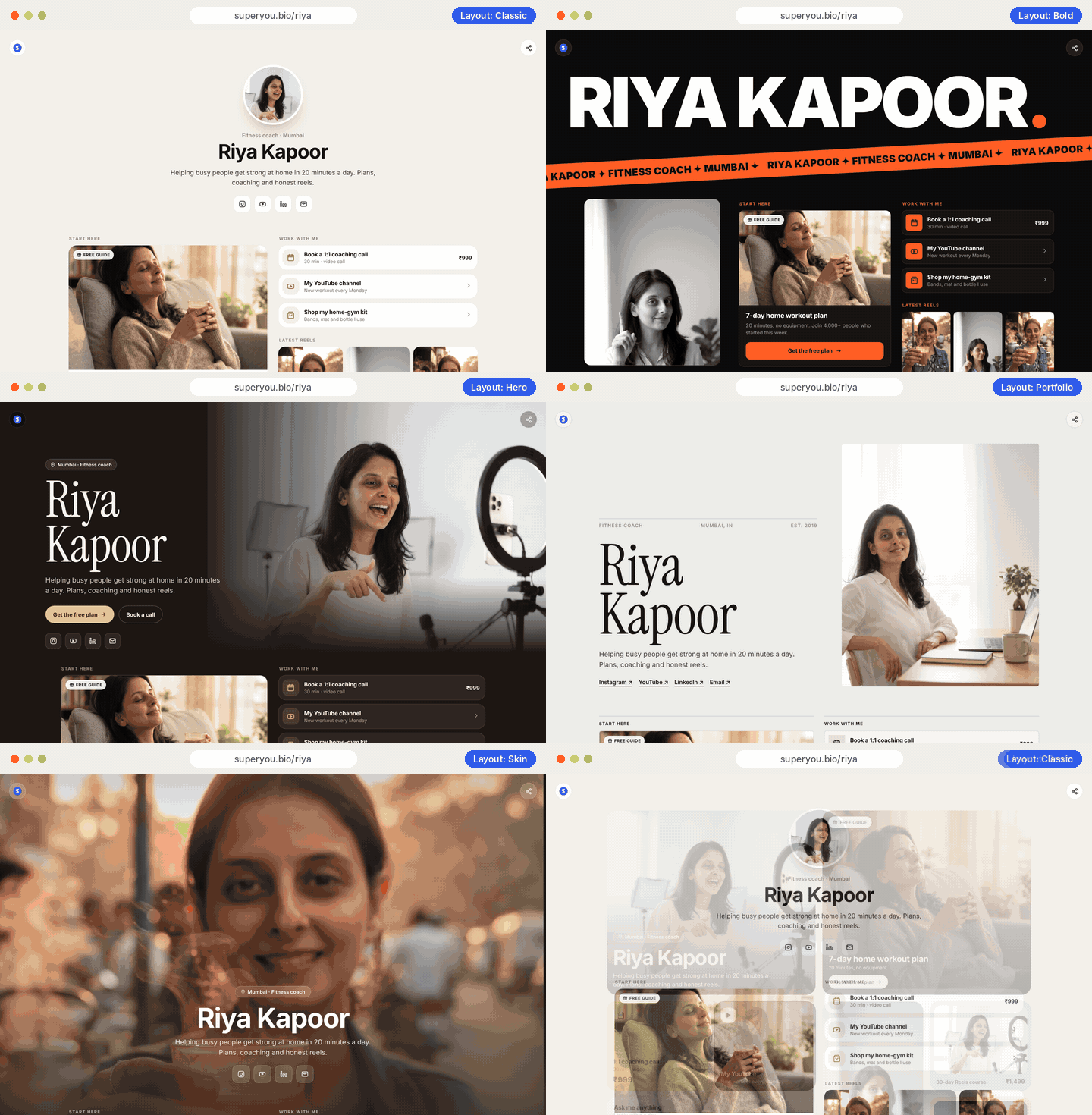
Each layout comes with a matching colour and font style, so the page looks finished the moment you pick it.
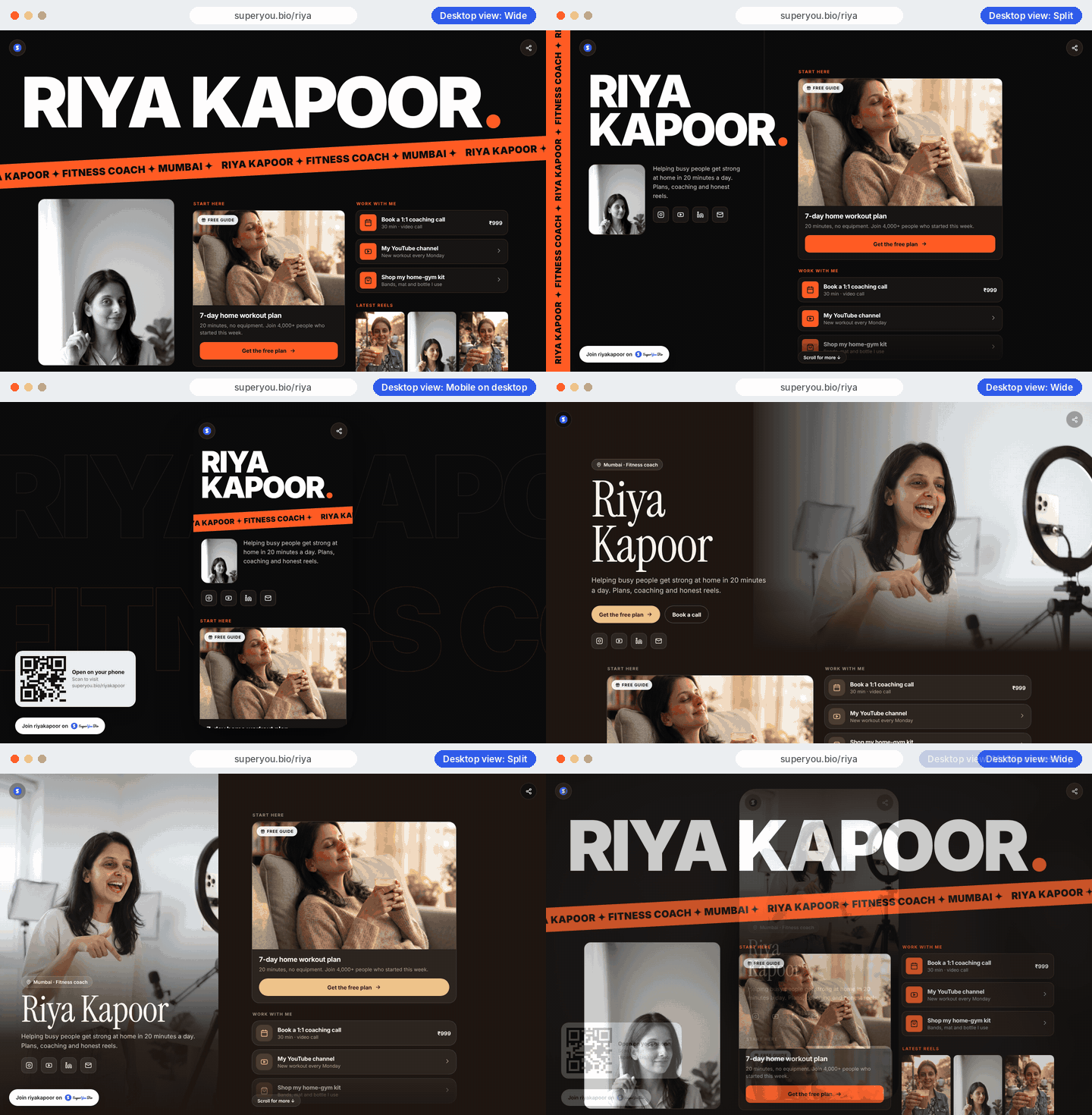
2. Built for Desktop Visitors Too
Not everyone opens your link on a phone. Clients, brands, and recruiters often click it from a laptop.
On desktop, you choose how the page fills the screen:
- Wide: the full-width version of your layout
- Split: your profile on one side and your links on the other
- Mobile on desktop: a phone-sized page with a styled backdrop and a QR code visitors can scan to continue on their phone
3. Every Comment Becomes a Conversation
From a comment to a conversation, automatically
With Instagram Auto DM, someone comments a keyword on your Reel, post, Story, or Live, and your link lands in their DMs automatically.
Before sending the link, you can ask them to follow you or share their email. The person who was curious now has your page open, without searching for it.
4. Capture Leads Before They Leave
Not every visitor is ready to buy today. Lead forms on your page collect emails, phone numbers, and answers, so you can follow up later.
The free plan holds up to 50 leads; Elite has no limit. Mailchimp, WhatsApp, and Telegram connect your leads to the tools you already use.
5. Sell Right on the Page
The Store shows your products with prices. On the Elite plan, you can sell:
- Digital products with instant delivery
- Courses with modules, quizzes, and a student dashboard
- Tickets for online or offline events
- Paid 1:1 calls with calendar booking and Meet links
- Payment pages and locked content that unlocks after payment
Payments go straight to your bank or payment account through UPI, cards, or netbanking. And because Meta Pixel and Google Analytics plug in, you can see which posts send visitors and retarget the people who looked but did not buy.
Build a Page That Converts, Step by Step
A customer-pulling page takes about the same effort as a basic link list, if you build it in this order:
- Claim your name. Pick a short username so your link reads cleanly, like superyou.bio/yourname.
- Choose a layout that matches your brand. Bold for loud personal brands, Hero or Skin when your photo is your selling point, Portfolio for creatives, Bento for many offers, and Classic when you want calm and simple.
- Write a one-line promise. Your headline should say who you help and how, not just your job title.
- Lead with one main offer. Put the product, booking, or free download you most want people to take at the top. Everything else goes below it.
- Group the rest under short labels. Section labels like "Work with me" or "Free resources" help visitors find their path in seconds.
- Add a lead form. Offer something useful in exchange for an email, so visitors who are not ready to buy still stay in touch.
- Set up Auto DM on your next post. Pick a keyword, mention it in your caption, and let the DM deliver your page to everyone who comments.
- Pick your desktop view. Wide for most pages, Split when your profile tells the story, and Mobile on desktop for a phone-first look with a QR code.
- Connect Meta Pixel or Google Analytics. Track which posts send customers, and double down on what works.
Turn Your Bio Link Into Your Best Salesperson
Before you share your link again, check that your page does these five things:
- Looks like your brand within the first second
- Says who you help in one line
- Puts one clear offer at the top
- Captures an email from people not ready to buy
- Lets people pay, book, or download without leaving the page
You can start free and upgrade when you start selling:
| Plan | Price | Best for |
|---|---|---|
| Early Creator | Free | Link-in-bio store, Auto DMs on Reels and posts, up to 50 leads |
| Elite | $9.99/month | Auto DMs on posts, Stories, and Lives, up to 5 Instagram accounts, unlimited leads, all selling tools |
| Pro | Custom | Custom landing pages, dedicated growth and ads managers |
Your followers are already tapping your bio. Give them a page worth landing on. Claim your SuperYou Bio and turn your next comment into a customer.
Frequently Asked Questions
What is a premium link-in-bio?
A premium link-in-bio is a single webpage behind your social bio link that is designed like a landing page. It shows your brand, leads with your main offer, and lets visitors buy, book, or sign up without leaving the page.
Do I need a website if I have a link-in-bio page?
Many creators, coaches, and small businesses do not. If your customers find you on social media, one focused page can hold your links, products, bookings, and lead forms. A full website makes sense when you need many pages, a blog, or a large product catalogue.
Is SuperYou Bio free?
Yes. The Early Creator plan is free and includes the link-in-bio store, Auto DMs on Reels and posts, and up to 50 leads. Elite costs $9.99 per month and adds unlimited leads and all selling tools.
Does my SuperYou Bio page work on desktop?
Yes. You can show your page in Wide, Split, or Mobile on desktop view, so visitors who open your link on a laptop see a page built for their screen.